Showing posts with label lesson. Show all posts

Thursday, December 1, 2016

Promoting Productive Struggle & Implementing Formative Assessment Lessons

We had an amazing meeting yesterday with our district's Math Design Collaborative yesterday for training on implementing FALs. One of the resources we went through was this article of 8 Teaching Habits that Block Productive Struggle in Math Students. It's kind of a what-not-to-do guide to teaching math. I also like that they paired it with this infographic poster of what to do instead. 


Our district is involved in a 3-year initiative with SREB, and I really couldn't possibly be more excited about this. Our best teachers have been selected (2 per school) to participate. We have teachers from every grade level 6-12, and from all types of schools. (Even our alternative school is participating!!)

During year 1, we have 8 days together as a group, and yesterday was Day 5. PD focuses on how to implement Formative Assessment Lessons (FALs), which are housed at map.mathshell.org. 


Now, when I was in the classroom, I was aware of this website, but hadn't implemented any of the lessons in their entirety. (To be REALLY REALLY honest, I had just stolen a few tasks and card sorts, and not used anything else.)

I had NO IDEA that all of the resources on this website are research based and are most effective (by far!) as complete lessons. 

Here's the basic idea, but you'll really get a better picture by reading through one of the scripted lessons. 

  • FALs are separated into 2 categories:
    • Concept Development (named based on content)
    • Problem Solving (name based on context)
  • Concept Development FALs are meant to be used one-half to two-thirds of the way through a unit. The goal is to figure out what kids know, what they don't know, and then use that to guide instruction (both through the remaining part of the unit, and to change how you teach that content next year). Sometimes these FALs also work at the beginning of a unit to review prerequisite content and guide the transition into new content. 
  • Problem Solving FALs can be used any time during a unit, and are structured around really great problems with plenty of arguing potential. ;)

Here's the basic process to go through a FAL (I'll use a concept development FAL as an example, because so far it's the one I've worked with the most)

The day before the FAL: 
  • Give the pre-assessment as an exit slip.
  • That afternoon, sort the pre-assessments into 1,2, & 3 point piles (1 - little to no understanding, 2 - demonstrates some understanding, 3 - demonstrates understanding). Then use these piles to create homogeneous pairs of students (so the top 2 kids are paired together, then the next highest 2, etc). This isn't a formal grading process. 
  • Once pairs are developed, and while the results on the pre-assessment are fresh in your mind, choose (or create) some feedback questions from the script. They should be based on the major misconceptions, obstacles, or gaps in learning you observed on the pre-assessments. 
  • Make sure you have all materials & cards prepped and ready.
Day of the FAL:
  • Follow the lesson script through the whole class intro, collaborative activity, sharing & whole class discussion, and then administer the post-assessment. 
    • Whole class intro: usually involves white boards and some powerpoint slides. During this portion, you're just reminding kids of the work they did on the pre-assessment, and not "teaching." Just ask them some guiding questions to get them to notice differences in each other's responses. 
    • Collaborative activity: when students work on activity (usually a card sort) in the pairs you designed based on their pre-assessment. Just give the time allotted in the script, and let go of the idea of completion. Just let each pair get as far as they can in the time given. During this time, project the feedback questions developed the day before.
    • Sharing/Whole Class Discussion: usually involves some time to combine/change groups and compare answers, then a return to the whiteboards to discuss as a class. 
    • Post-assessment is "graded" (but not really) the same way that the pre-assessment was, so that you can measure growth for each class.
My personal favorite FAL? Right now, it's Generating Polynomials from Patterns. 
Students use dot patterns to develop polynomial expressions for the white, black, and total dot patterns and WOW do they have to do some serious work with this one! It seriously challenges the advanced kiddos without being inaccessible for lower-achieving students.

Second runner up is Applying Properties of Exponents. I had a huge "AHA" moment with this one. How many times, when we're teaching laws of exponents, do we pretend like addition and subtraction of terms just cease to exist for a week or two? I'm definitely guilty. Here are the first few cards from this FAL so you can see what I'm talking about:


But if we choose not to shy away from types of problems that aren't immediately simplified using one application of one exponent property, our students are all the better for it. And this FAL does a phenomenal job of facing those obstacles, misconceptions, and gaps in learning square in the face.

Each of the FALs is designed to promote productive struggle in students. Each one is also designed to promote valuable, serious mathematical discourse. And that's something we should all strive to include more of in our classrooms.

And don't forget about the What-Not-To-Do and What-To-Do-Instead for Promoting Productive Struggle that I mentioned in the beginning of the post from the MIND Research Institute blog! 


Friday, May 1, 2015

Skitch Connect Four/Tic Tac Toe with Circle Terms

Hi everyone!

I thought it'd be best to start the first of May off with a blog post left over from April.

We've been starting some geometry lately, and my Math 3 kids really needed a few days to get their brains wrapped around the vocabulary.

I found a neat Circles Tic Tac Toe activity and this blog post including paper folding notes, which helped me plan my instruction for my kiddos.

I've really been trying to put my 10 class iPads to use with partner activities, and this fit the bill perfectly. My class is one of the pilot BYOD rooms in the school, but there's still many of my students that don't have a device to bring. Often, lessons where they can work in pairs instead 1:1 with the tech are much more doable. Here's what we did.

Setting up an ISN page that's got several pieces can seriously EAT class time. So I replaced their usual warmup activity with some simple instructions. I had the first 3 people in the room pass out the strips of paper, which were 1/3 each of a colorful letter sized paper.

We worked together to fill out the index cards, talking about what they knew, and the importance of certain distinctions (line vs. line segment, etc).

We also separated their cards into three groups (the idea I got from the post linked above). 

We practiced using some task cards and a game of Scoot. 
Then students were sorted into pairs, and each pair needed 1 device. 
I posted the picture file in Google Classroom, and they opened it using Skitch. 
(If you don't have devices, you can also print & copy one per pair, or laminate and reuse with dry erase markers.) The Slides file with the instructions and complete list of vocab is here. 

The picture file that my students used looked like this:

They used the Skitch app to draw their X's and O's on the board. 
Below is what the board looked like after one pair finished a game. 

The tech allowed us to save some paper, play multiple times, save the results, and have a bit of fun!
My students enjoyed the activity, and I appreciated the 5 minutes that it took to create this activity. I'll definitely be using Skitch for ed games again soon!


Tuesday, March 31, 2015

MTBoS Directory & Post-it Plus App

Hi everyone!

I just want to give a quick list of 3 awesome things:

1. MTBoS Directory!
Wow this is going to be amazing - one comprehensive list for our little math world!
Go to http://sites.google.com/site/mtbosdirectory to sign up! Click add entry, and let us know who you are. I've been having some fun today looking up teachers in my area, and finding some amazing new blogs to follow.


2. Post-it Plus App
This is random, but I read a blog post today that just ROCKED MY WORLD. I do so many sorting, matching, and ordering activities, and I've finally found a way to digitize this process. Check out the idea from Teaching High School Math here. I tried it out very briefly while my students were working on the warmup, and I'm already planning to use it tomorrow for students to practice switching between log and exponential form.


3. ScoodleJam and Nearpod App-Smash
Is it still called an App Smash if it's only smashed by the teacher? Hmm....I'll have to think about that.
ScoodleJam is a great doodling app - I downloaded it last week when it was free, and have been using it to create some cool activities. It's easy to save an image created in ScoodleJam, and I imported them into Nearpod to create some introduction puzzles based on this blog post. I used it at the beginning of my lesson for solving exponential equations without logs. You can check out the Nearpod presentation I used here. It's not too fancy, but it really made this lesson so much easier on my students, and it only took me about 10 minutes to create!

Monday, December 8, 2014

App-smashing with Desmos

Hi everyone!

So I wanted to share an activity I did for function transformations and piecewise functions (well, maybe more exploring domain restrictions that are used in piecewise functions)

Since I know this post will be shared with some of my non-math friends from Pinnacle, I'll give you a bit of background (hopefully in language that's as non-mathy as possible.)

Our Math 2 students are supposed to learn different types or classifications for equations (functions). They also learn to "move" the graphs of those equations by changing different parts of the original function's equation. (For example, they can add to the end of an equation to move it up on the graph).

Here's what we did:

1) Students created a drawing of their choosing in Desmos (an online graphing calculator).
They were instructed to include 4 linear, 1 absolute value, 1 exponential, and 1 quadratic equation. They were required to have a minimum of 15 components of their graph, including no more than 4 horizontal or vertical lines. They were encouraged to be creative.

2) After creating and saving their graph in Drive, they shared it with me, so I could grade the equations.

3) Then they took a screenshot of their graph, and imported it into skitch. They used the app to label a minimum of 7 of the 15 components. Then they sent the skitch image to me.

It was a great, quick (2-day) activity that lead to some AWESOME conversations. It was also really interesting to see the shapes they could create from certain functions by changing the scale of their graph, or only using a certain piece of that function. Cool stuff.

Here are some of the skitch images (I'm not sharing the equations files because I know so many of my secondary friends do similar projects, and I don't want to create opportunities for cheating). There is one file below that included that in the screenshot, so you can see generally what they were creating for the equations.


Friday, May 2, 2014

Friday Freebies! Comparing Linear/Quadratic/Exponential Functions

My students are testing today on the unit we introduced with Zombie Day. 


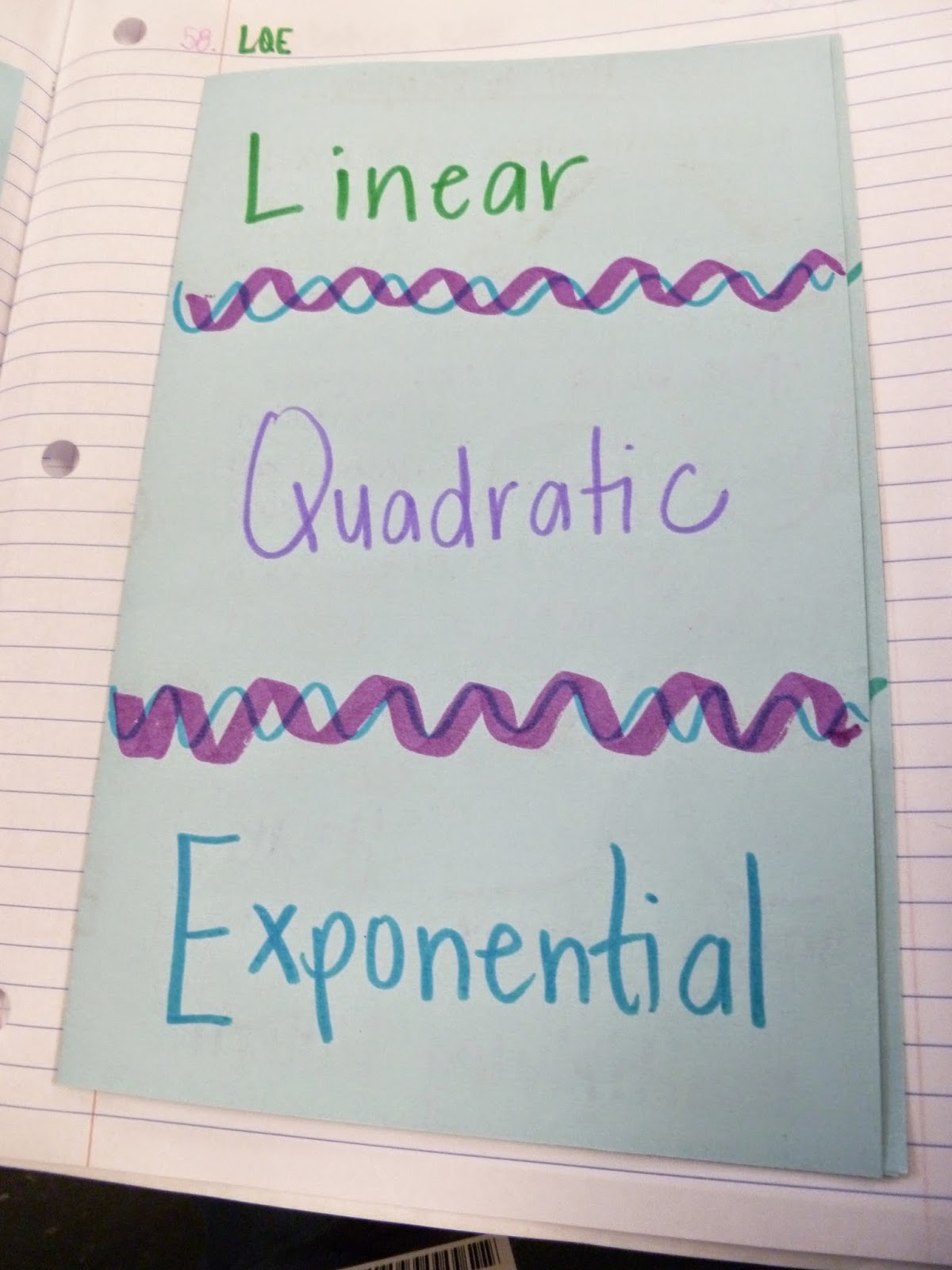
We used a "Fun with Functions" Cut and sort activity to practice identifying/classifying LQE functions.
 We spent plenty of time working with multiple representations of each, and how to write the equation for a function once you know what type it is.

Then we moved on to translating, with matchbook notes. 


And after seeing this blog post from Math=Love, we included a drawing of our calculator yesterday when talking about using the regression functions on our Ti-84s. 

And we practiced, and practiced, and practiced. 
We did a scavenger hunt.


We used LQE cards on the 2nd day of the unit for whole-class response practice. 

The following day, we increased the level of difficulty by using cards that said what type of L,Q, or E each example was. (The exponential card had decay on one side, growth on the other)

I wanted to do so much more with this unit, but there's only so many days left until testing season begins.
However, I do think that having a day of centers would have been better than only doing the practice in mostly whole-class settings. So I made a card sort for this unit (using this 12-block template) - we'll use it for EOC review. I wrote up the process for using a similar 9-block template in this previous post.


Here are some of the ways I'm thinking of using the LQE cards (it's a set of 48)
  • printed 2 to a page, into a column sort in their ISN
  • printed onto cardstock, used as Go-Fish or Memory (each exponential matches with any other exponential)
  • printed onto cardstock, used as a center matching activity (3-column sort as a group onto a posterboard or table marked with 3 sections)
  • center activity where students play Left-Center-Right, but to keep/receive a card, they say L/Q/E
Start the download for the card set by clicking here. It's a Word docx file, so feel free to edit it to suit your students' needs. 

Have a great weekend!

Tuesday, April 29, 2014

Zombie Outbreak!

One of the topics I've started teaching since NC started Common Core is comparing linear/quadratic/exponential functions. Two semesters ago, I saw this blog post where a teacher had used zombie outbreaks to have students explore exponential growth.

I switched up the lesson plan a bit, and we did 3 rounds of "zombie outbreaks" in my class, each with a different soundtrack. At this point in the semester, we've learned about linear, quadratic, and exponential functions. However, I don't tell my students which outbreak is which until we're done.

For each round, students meander around the room, and my "patient zero" student follows the rules for that round by infecting students in a certain way. (Infections are stickers on their hands). As we listen to the music, I announce every 15 seconds "End of day __, Wake up, everyone! It's the morning of day ___!" I make a big deal of everyone "freezing" at the end of the day to "sleep," and then we resume movement with waking up on the next day.


  • Round 1: (Linear) Each day, the zombie "infects" 3 new people, but the new zombies cannot infect anyone.
  • Round 2: (Quadratic) Each day, the zombie learns how to infect an additional 2 people per day (I tell them the zombie is learning to run faster each day, and so the first day is still 3 people, but then 5, 7, and so on). New zombies still cannot infect anyone.
  • Round 3: (Exponential) Each day, every zombie is able to infect 1 person. New zombies have infection powers.


It's so funny to watch them play this - I always have a couple students that want to be infected, and a couple that don't, and run away from the zombie. The game usually turns into a mild game of tag/hide-and-seek.
Once infected, the students have to "report their infection to the CDC," which means dragging a picture of a person on the SMARTboard into a box for day 1, 2, 3, 4, 5, or 6. (whichever day they got infected).


Once the rounds are complete, we record our findings in our ISNs, and discuss what patterns we see. Usually my students identify round 1 and 3 almost immediately as linear and exponential. I also usually have 1-2 students that see the square number pattern as well, which leads us to label round 2 as quadratic.


We discuss the characteristics of each function that we remember (this is a great review right after spring break), and then write the equation for each round. Then we destroy the world. :)

They research in groups online to find the population of our school, city, county, state, country, continent, and the world. Then they solve for round 1 and 2 how many days it would take to infect that population. They use a guess and check method for exponentials, since Math 1 kids don't learn logs until next year.


Things I want to improve in the future:

  • predictions about each round before we start (I want them to discuss which scenario will infect the most people in a week, in a year, etc.)
  • "CDC Disaster Reports" as a lesson conclusion (I'd love each group to take 1 time period, maybe a week, 1 month, 6 months, 1 year, and write up the infection rate based on each scenario)